 tvbroadview.com
We may receive a commission on purchases made from links.
Signing up for an Amazon Prime subscription — currently priced at $14.99 per month or $139 annually — affords you a variety of perks on the platform. At the forefront is access to expedited delivery for free, which can get you your eligible items as fast as later in the same day you placed the order. You also get access to Prime Video — Amazon’s media-streaming service that we consider a must-have — and will be able to view a selection of titles for free. This includes Amazon’s original programming with TV standouts like “The Lord of the Rings: The Rings of Power,” “Fallout,” and “Mr. and Mrs. Smith.”
Unless you are a frequent Amazon customer, you may find signing up for Amazon Prime to be a bit costly or unnecessary. However, if you’re considering subscribing to the membership for the primary purpose of having another online streaming platform to provide your next binge-watch, you may be glad to know that there is a way to get the latter without paying full price for Amazon Prime. Some methods will require you to pay a cost that’s significantly cheaper in the long run; others may give you a way to enjoy certain videos for free.
The easiest way to get access to Amazon Prime Video content without Amazon Prime
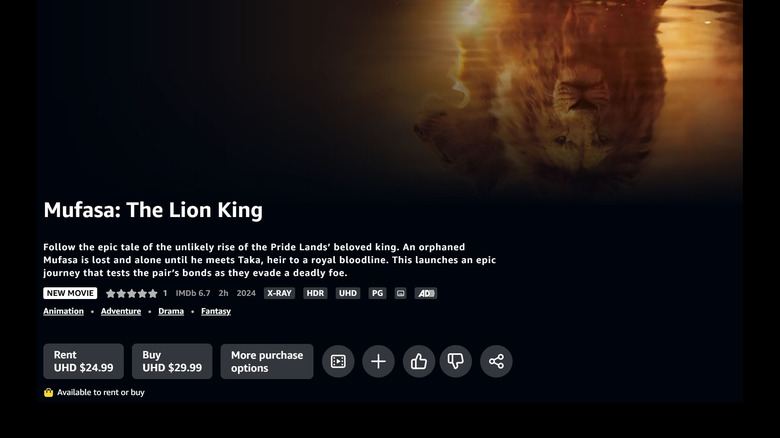
To dip your toe into Prime Video land without fully committing to a monthly membership, you can directly purchase or rent certain titles available through the Prime Video library. To get there on a computer:
- Open a browser tab, go to amazon.com, and log in.
- Click the hamburger icon in the top-left corner of the screen.
- Under Digital Content & Devices, select Prime Video.
- Pick All Videos.
Meanwhile, here’s what you do on a supported mobile device:
- Launch the Prime Video app. This is different from the Amazon app.
- Log into your Amazon account.
- Choose the profile you’d like to purchase or rent (and eventually watch) from.
Once you have a full view of the entire Prime Video catalog, find and click a TV show or movie you’d like to watch. While some of the videos may be available to watch for free, most items will likely be available to either buy or borrow for a one-time fee each. You can purchase or rent a copy of the title in your chosen video quality (such as standard definition, high definition, or ultra-high definition).
Note that any title you buy will be added to My Stuff, where all your media purchases will be listed. These videos will generally be downloadable or can be streamed whenever you want, but they may become unavailable because of licensing restrictions, among other reasons. Moreover, rentals afford you a limit of 30 days to watch the video and 48 hours to finish it once you start playback before you lose access.
Alternatively, in lieu of signing up for an Amazon Prime plan, you can supposedly avail a Prime Video-only membership for $8.99 per month. Subscribing to it can be quite difficult, though.
The not-so-easy way to sign up for an Amazon Prime Video-only membership
According to some Reddit users online as well as other tech publications, if you happen to already have Amazon Prime and would like to switch to the cheaper standalone Prime Video subscription, you’ll need to cancel your current Amazon Prime subscription and wait for it to elapse before you can pick the Prime Video-only plan.
Meanwhile, assuming you aren’t already signed up for any Amazon plan, simply going to the Prime Video page on a computer should show you options to either subscribe to the full Amazon Prime subscription or the standalone Prime Video option. If you are able to make a selection, pick the more affordable Prime Video-only subscription.
If you can’t find the option to switch to a Prime Video-only membership, your last recourse is to get in touch with Amazon Customer Support:
- On a computer, go to https://www.amazon.com/hz/contact-us. Make sure you’re logged into your Amazon account.
- Hit the “Help with something else” button.
- Select “Something else.”
- Tap “I need more help.”
Once you are connected to a support person, ask how you can sign up for the standalone Prime Video membership, the one that costs $8.99 per month as listed in Amazon’s support page. You may initially be automatically fed solutions that don’t quite fit; just hit the “x” to indicate that the answer you need isn’t on the list. You will then be given a few options on how to proceed, such as text-chatting with an Amazon associate or requesting a phone call back. The latter method is what many online deem to be the most effective option.
Other ways and restrictions to consider
Obviously, the whole point of exploring how to watch Prime Video content without Amazon Prime is to potentially save money. Directly purchasing or renting may be a suitable option if you’re selective on what makes it to your watchlist, but depending on what video (and video quality) you want, it can seem more expensive — remember that once you own a title, you essentially can watch it as many times as you want, again with certain limitations. Similarly, if you only want access to Prime Video and nothing else on the Amazon Prime benefits list, a standalone Prime Video subscription may be the more efficient way to go.
However, it’s important to note that some Prime Video titles may not be available in locations outside the U.S. As well, even if you’re able to purchase a video within the U.S., you may not always be able to watch it while you’re overseas due to licensing limitations.
You may come across content that can be viewed via the Prime Video portal by starting a free trial with another media-streaming platform, such as Paramount+ or Max. This option can potentially let you watch some Prime Video titles for free. Just make sure you cancel your account with the third-party service before the free trial period elapses to avoid getting charged.
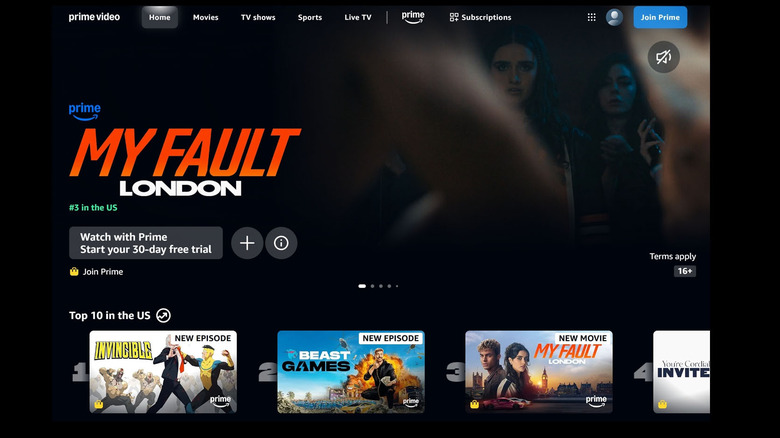
If all the previous methods are too complicated, opt to simply sign up for a free trial of Amazon Prime for 30 days, which includes access to Prime Video. You should see the option to “Start your free 30-day trial” on the page if you haven’t done it before; follow onscreen prompts to finalize your free trial. Again, if you don’t want to get charged, remember to cancel Amazon Prime before the 30 days are up.
Source: http://www.slashgear.com/1793680/how-to-watch-prime-video-without-amazon-prime/
You may also like

